Pelagic Video Fidelity
Why our AI-generated video ads were inventing logos, wordmarks, and construction details on real products — and how switching to real catalog photos, not a hand-written prompt, actually fixed it. A full trace from measurement through fix.
Headline finding: the fix that actually scales isn't a cleverer prompt — it's simpler than that. Feed the model real, undegraded catalog photos instead of the padded/AI-outpainted stack production has been building, and a fully generic prompt (no per-product authoring at all) gets every headline defect fixed. A hand-written, per-product prompt was tried first and looked like the answer — it wasn't. See Section 5.
Contents
1The real problem
Pelagic Gear's video ads were being judged as roughly 20% pass. That number was measuring the wrong thing.
189 "video ads" were actually 18 real generations plus 171 derives
A derive is a free crop/retitle of an already-existing master into a different aspect ratio — it never generates new pixels. Splitting the two out:
| Pass rate | |
|---|---|
| Real generations (masters) | 62% 8 of 13 judged |
| Derives of those masters | 16% 24 of 148 |
Worse: 44 derives of a passing master still failed, and 9 derives of a failing master passed. Production QC on a derive is largely noise — the ~20% headline number was a derive statistic, not a generation-quality statistic.
Even the real 62% wasn't the full story
Production's own quality check judges each video against the reference stack it was given — which is itself padded, cropped, or AI-outpainted, not the real product photo. Judging the same 14 masters directly against the native catalog photograph instead:
2Three bugs found and fixed
A. A live money leak — refinedProducts missing from the catalog query
The code that decides "can we free-crop this reference, or do we have to pay for an AI outpaint" needs YOLO-detected product boxes. The query loading sibling reference images for a video simply never requested that field. Every auto-assembled sibling was forced onto the paid path regardless of whether a free crop was possible.
Found a teammate had already fixed this in a copy of the code that isn't the one actually running in production. Fixed in the live renderer, deployed.
B. Seed images padded at the wrong scale
The product-only seed image was padded to the video's delivery resolution (as small as 720×720 for the product itself) instead of the source photo's own resolution — throwing away most of the real detail before the video model ever saw it.
Fixed — pad now derives its canvas from the source image, preserving up to 3× more real pixels of the product.
C. The "zoom to detail" instruction was the single biggest source of invented defects
Counting every defect found across the 14-ad blind pass by the video timestamp it appeared at: the frame at the midpoint — exactly where the prompt says "slow zoom toward the most distinctive product detail" — carried 6 of 11 total defects. The zoom wasn't panning across real pixels; it was cutting to a newly generated close-up, and that's where the model invented things.
Partially addressed — see the real fix in Section 5, which supersedes the original "just remove the zoom" attempt.
3The Atlas outage — a real forensic trace
Partway through testing the fixes above, every 10-second/9:16 video regenerate started failing. Three ads produced videos that looked suspiciously identical to their originals. This needed a real answer, not a guess.
What was verified, directly against Atlas's own API
The exact same combination that had been generating successfully all day — duration=10, aspect_ratio=9:16 — started returning:
HTTP 500 → "All channels failed. Last error: HTTP 422:
The model 【omni_flash-10s-portrait】 does not exist"
Confirmed by fetching the byte hash of the "new" video and finding it identical to the pre-outage file — Atlas never generated anything new, and critically, never billed for it either. One real generation that landed during the same window (a different ad, retried automatically) proved the persist logic itself was fine — when Atlas returns a real video, it saves correctly. The failure was isolated to one internal Atlas routing channel for that specific duration+aspect combination, confirmed by direct API calls, not inferred.
A retry policy was also caught and stopped mid-flight — it was about to auto-resubmit two more ads into the same dead channel.
4Going direct — three video providers compared
The outage forced the question: could we bypass Atlas entirely and call the underlying model directly? Turns out yes — Atlas is a thin wrapper over Google's own gemini-omni-flash-preview model, and a direct API key was already available and already in use elsewhere in the codebase for other purposes.
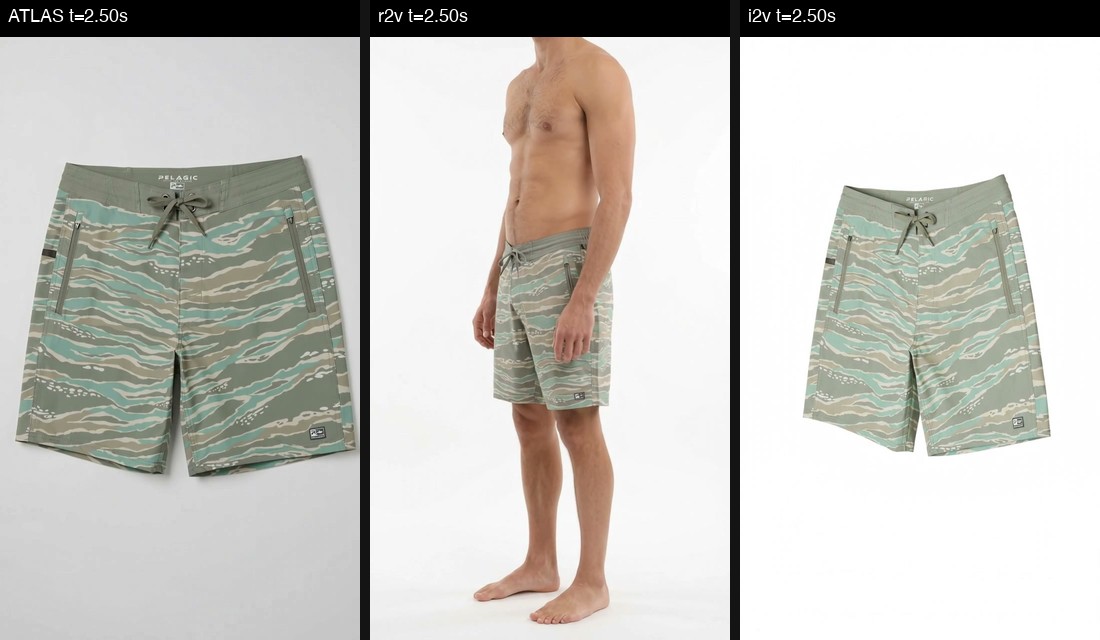
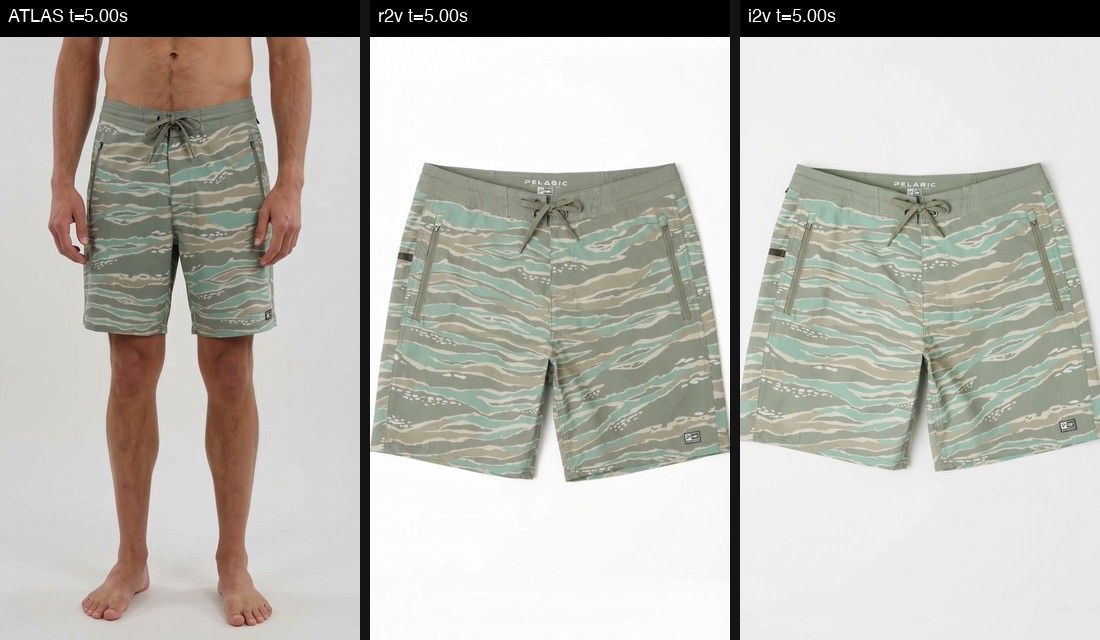
Reference images actually supplied
Same three-image stack the production pipeline builds for every ad — shown here so the comparisons below are legible against real inputs, not assumed ones.
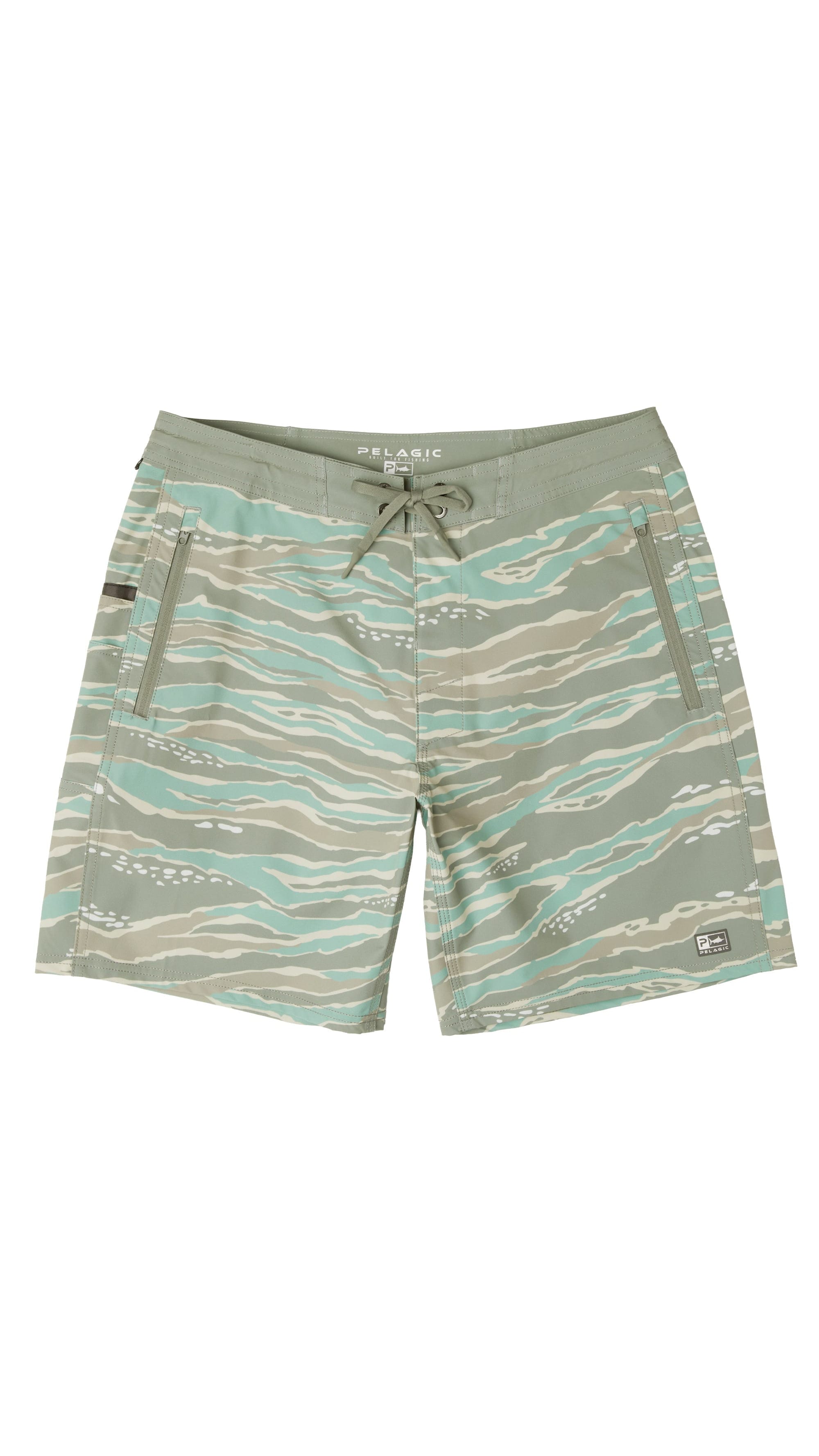
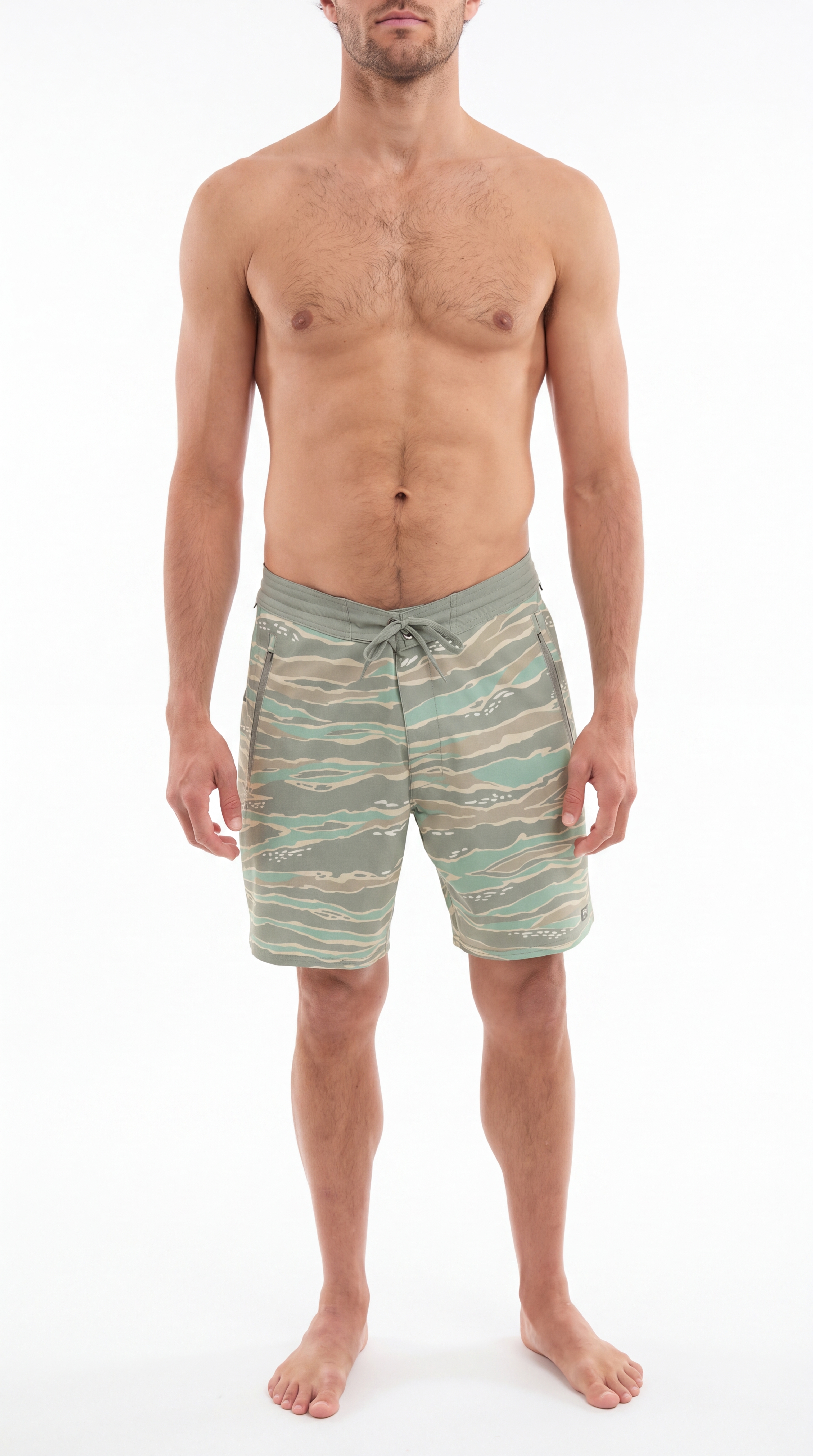
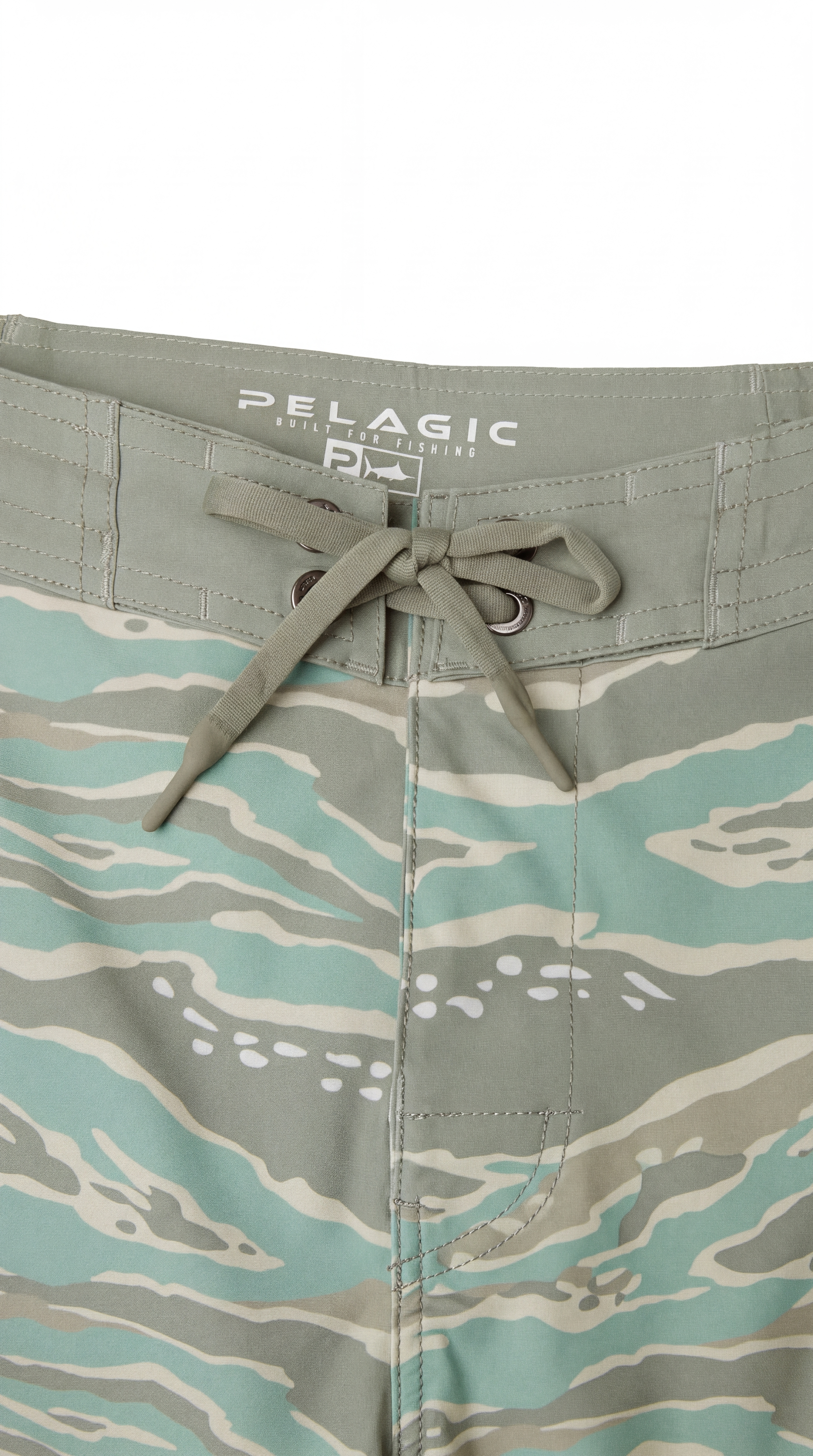
Three arms, same product, same original prompt
| Arm | What happened | Verdict |
|---|---|---|
| Gemini, reference_to_video (all 3 images) | Invented a side-profile camera angle at ~2.5s that doesn't exist in any reference. Wordmark stayed correct, just softer than Atlas. | Angle not a defect — see Section 5 |
| Gemini, image_to_video (seed image only — this task type can't take 3 images) | Stayed disciplined on camera framing, but regenerated the seed frame itself and corrupted the product's own wordmark. | Worse fidelity |
| Grok Imagine (all 3 images, new short prompt) | Correct marks, slightly softer than Atlas. Also settled a real pricing question — the catalog page and our own cost assumption were both wrong. | Clean / minor |
Same product, same prompt, three genuinely different outcomes — proof that the model, not just the reference prep, is a real variable in fidelity.
Provenance
- Prompt
- production Ad.veoPrompt — 4162 UTF-8 bytes, sha256 5bb02b77…. No <IMAGE_REF_N> tags.
- Images
- 3 refs, mixed processing — ref0 c_pad,w_2000,h_3556 on catalog product photo; ref1 /liquidretail/reframes/; ref2 /liquidretail/reframes/.
- Feed / shot
- not recorded per-ref for this arm
- Model
- gemini-omni-1.1-flash · reference_to_video · 9:16 · 10s · 720p (measured: 720×1280, 10.00s)
- Source
- Leaderman ad 6a986320eea5b7d839449c89 · post-gemini-direct-once.py
Provenance
- Prompt
- same 4162-byte Ad.veoPrompt, sha256 5bb02b77… (identical to r2v, per request-shape-i2v.json).
- Images
- 1 ref, first-frame only — same padded catalog seed as r2v's ref0 (c_pad,w_2000,h_3556). Two reframe URLs recorded as droppedRefs, not supplied — image_to_video can't take three images.
- Feed / shot
- not recorded
- Model
- gemini-omni-1.1-flash · image_to_video · 9:16 · 10s · resolution not stated in the catalog for this arm (measured: 720×1280, 10.00s)
- Source
- same Leaderman ad 6a986320eea5b7d839449c89 · post-gemini-i2v-once.py
Provenance
- Prompt
- fidelity core + Leaderman per-SKU PRODUCT MARKS (not the veoPrompt — an earlier attempt with the 4162-byte veoPrompt failed unbilled, no video). prompts/9c89.txt — 1707 UTF-8 bytes, sha256 f62d8d25….
- Images
- 3 refs, same production URLs as r2v — 1 padded catalog (c_pad) + 2 /liquidretail/reframes/.
- Feed / shot
- not recorded
- Model
- Atlas xai/grok-imagine-video-v1.5 · reference-to-video · 9:16 · 10s · 720p (measured: 720×1280, 10.04s)
- Source
- same Leaderman ad 6a986320eea5b7d839449c89 · post-imagine-fid.py
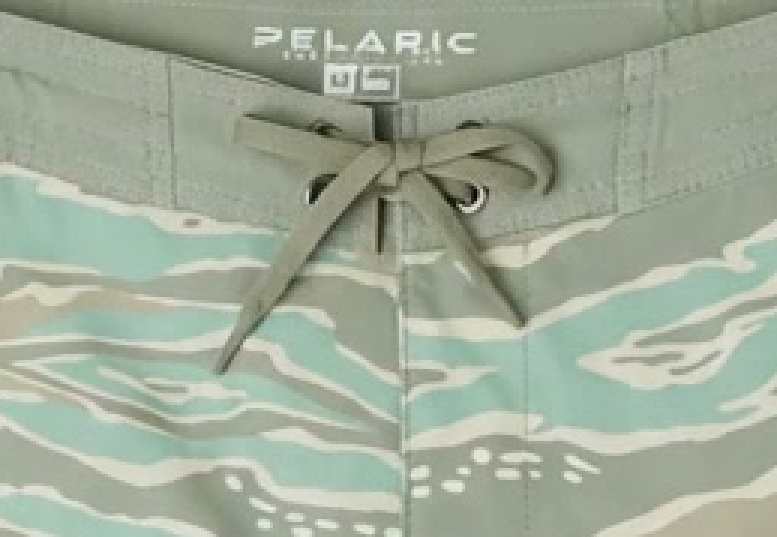
Side-by-side at the same timestamps
5The real fix — clean photos beat a clever prompt
That single correction changed everything. Camera motion, subject motion, new viewpoints — none of it counts as a defect anymore. The only thing that disqualifies a video: an invented, altered, or missing detail on the product itself, checked against the real catalog photo.
First attempt: name the real marks in the prompt
The first fix tried was a hand-written prompt block per product, naming the real letters and — where a prior attempt had already failed — the exact garbled text to avoid. It worked, mostly:
| Ad | Was | With hand-written marks |
|---|---|---|
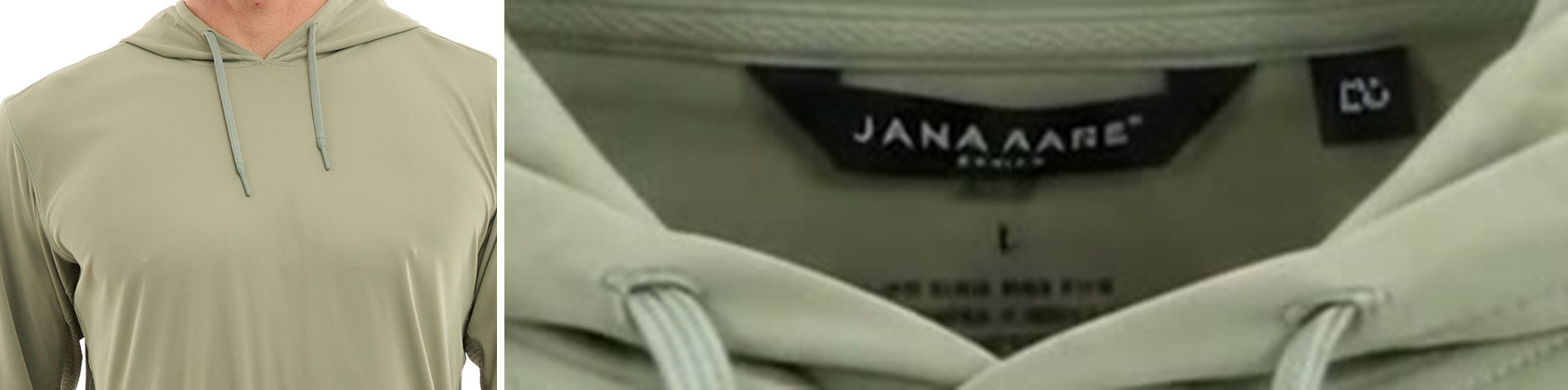
| Vaportek hoodie | Invented competitor label "JANA AARE" | Fixed |
| Mako shorts | Garbled tagline "BUILT FOR PISRING" | "Fixed" the wrong way — see below |
| Vaportek hoodie (16:9) | Wrong logo, reversed fish, brand name missing | Fixed |
| Vaportek hoodie (chest + sleeve) | Unboxed logo + invented sleeve print | Chest fixed — sleeve unchanged |
Why the hand-written approach hit a real wall
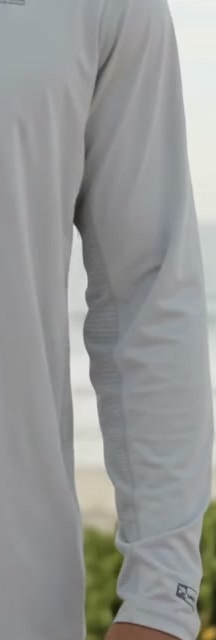
The sleeve print refused to clear no matter how the prompt was worded — the block explicitly said "forearms otherwise blank" and the model still copied a stacked invented print onto the sleeve. The reason: that print was already baked into the reference photo itself — a leftover artifact from an earlier AI-outpaint step. No prompt instruction can override what the model is literally shown in a picture.

Worse, on a second product the hand-written marks were factually wrong: the block said the waistband had "NO second line," but the real catalog photo genuinely shows BUILT FOR FISHING as a second line. The manual authoring had suppressed something that was actually true.

Condition B on video — the hand-written-marks arm, degraded stack
The still above is a single frame. The full arm was four real generations, one per ad, each using a hand-written per-SKU marks block against the same padded/cropped/reframed reference stack production builds today (not the raw catalog photo). All four are the direct "before" counterpart to the Condition C clips further down this page.
Provenance
- Prompt
- hand-written per-SKU marks — prompts/8ea0.txt, 1691 UTF-8 bytes. sha256 not recorded.
- Images
- 3 refs, degraded production stack — 1 /liquidretail/reframes/ + 1 c_crop catalog + 1 c_pad catalog.
- Feed / shot
- not recorded
- Model
- gemini-omni-1.1-flash · reference_to_video · 9:16 · duration/resolution not stated in the catalog for this arm (measured: 720×1280, 10.00s)
- Source
- Vaportek ad 6a986080eea5b7d839448ea0 · gemini-direct/fidelity-r2v/8ea0/
Provenance
- Prompt
- prompts/69b4.txt, 1615 UTF-8 bytes. sha256 not recorded.
- Images
- 3 refs, degraded production stack — 1 c_pad catalog + 2 /liquidretail/reframes/.
- Feed / shot
- not recorded
- Model
- gemini-omni-1.1-flash · reference_to_video · 9:16 · duration/resolution not stated in the catalog for this arm (measured: 720×1280, 10.00s)
- Source
- Mako 20" hybrid ad 6a9891df1549f7076bce69b4 · gemini-direct/fidelity-r2v/69b4/
Provenance
- Prompt
- prompts/8af4.txt, 1806 UTF-8 bytes. sha256 not recorded.
- Images
- 3 refs, degraded production stack — 1 c_pad catalog + 2 /liquidretail/reframes/.
- Feed / shot
- not recorded
- Model
- gemini-omni-1.1-flash · reference_to_video · 9:16 · duration/resolution not stated in the catalog for this arm (measured: 720×1280, 10.00s)
- Source
- Vaportek (printed) ad 6a989ca51549f7076bce8af4 · gemini-direct/fidelity-r2v/8af4/
Provenance
- Prompt
- prompts/8b0b.txt, 1824 UTF-8 bytes. sha256 not recorded.
- Images
- 3 refs — seed is c_pad,w_1280,h_720 (video-canvas pad, 15879 bytes) + 2 further refs listed in request-shape.json; their individual processing not recorded.
- Feed / shot
- not recorded
- Model
- gemini-omni-1.1-flash · reference_to_video · 16:9 · duration/resolution not stated in the catalog for this arm (measured: 1280×720, 10.00s)
- Source
- Vaportek ad 6a989ca61549f7076bce8b0b · gemini-direct/fidelity-r2v/8b0b/
The actual answer: skip the authoring, use the real photo
Re-running all four ads with zero product-specific prompt text — a fully generic instruction, paired with the real, undegraded catalog photos instead of the padded/outpainted stack — fixed every remaining defect, including the sleeve the hand-written version couldn't touch:
| Ad | Clean photos + generic prompt |
|---|---|
| Vaportek hoodie — neck label | Clean |
| Mako shorts — waistband | Clean, and matches the real catalog detail photo exactly |
| Vaportek hoodie — chest + sleeve | Both clean — the sleeve the other approach couldn't fix |
| Vaportek hoodie (16:9) — logo + sleeve | Both clean |
Every fixed ad, before and after
Provenance
- Prompt
- generic CORE — native-generic/CORE.txt, 1159 UTF-8 bytes, sha256 67899bcf…. No per-SKU marks, no <IMAGE_REF_N> tags.
- Images
- 3 raw catalog Media.fileUrl (no pad/crop/reframe) — feedIndex 0 / 1 / 2 = product_only / on_model / detail.
- Model
- gemini-omni-1.1-flash · reference_to_video · 9:16 · resolution not stated in the catalog for this row (measured: 720×1280, 10.00s)
- Source
- Vaportek ad 6a986080eea5b7d839448ea0, product 6a982e15ce057530d979e850 · Condition C · post-native-generic-r2v.py

Provenance
- Prompt
- same generic CORE, 1159 UTF-8 bytes, sha256 67899bcf….
- Images
- 3 raw catalog, feedIndex 0 / 1 / 2.
- Model
- gemini-omni-1.1-flash · reference_to_video · 9:16 · resolution not stated in the catalog for this row (measured: 720×1280, 10.00s)
- Source
- Mako 20" hybrid ad 6a9891df1549f7076bce69b4, product 6a982e1ace057530d979e86e · Condition C. First POST was transient/unbilled; this is the retry (post-69b4-retry.py / SUMMARY-retry.json).
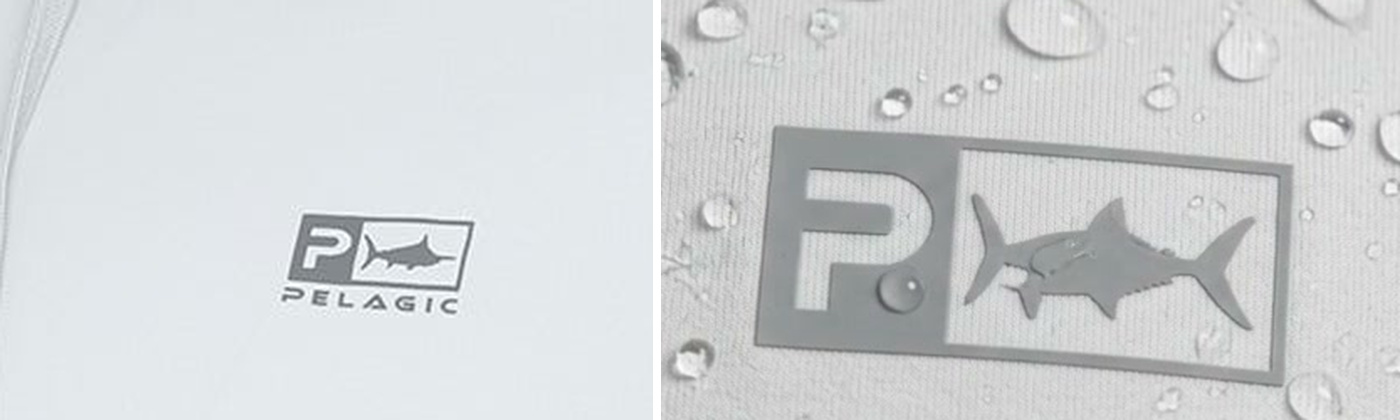
Provenance
- Prompt
- same generic CORE, 1159 UTF-8 bytes, sha256 67899bcf….
- Images
- 3 raw catalog — same 3 raw-catalog bytes as 8af4 below (shared product).
- Model
- gemini-omni-1.1-flash · reference_to_video · 16:9 · resolution not stated in the catalog for this row (measured: 1280×720, 10.00s)
- Source
- product 6a982df3ce057530d979e757, ad 6a989ca61549f7076bce8b0b · Condition C · post-native-generic-r2v.py
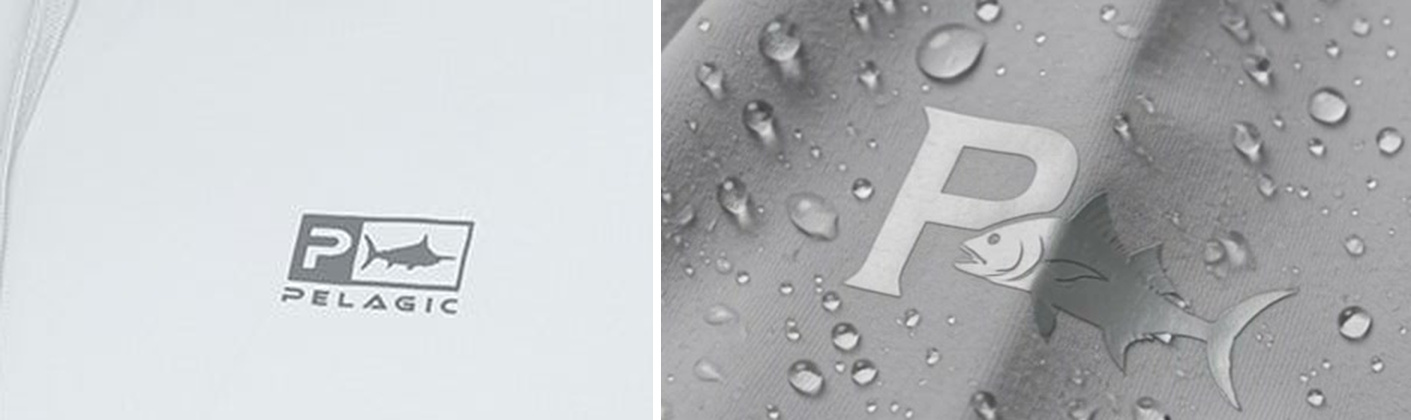
Provenance
- Prompt
- same generic CORE, 1159 UTF-8 bytes, sha256 67899bcf….
- Images
- 3 raw catalog, feedIndex 0 / 1 / 2.
- Model
- gemini-omni-1.1-flash · reference_to_video · 9:16 · resolution not stated in the catalog for this row (measured: 720×1280, 10.00s)
- Source
- Vaportek (printed) ad 6a989ca51549f7076bce8af4, product 6a982df3ce057530d979e757 · Condition C · post-native-generic-r2v.py. This is the direct "after" for Condition B's fidelity-r2v/8af4 above.
Verified independently, on a fifth product
To make sure this wasn't specific to the four ads already under a microscope, the same clean-photo + generic-prompt approach was run on Leaderman — a product that had already passed under the old pipeline, used here as a check that the new approach doesn't regress a product that was already fine.
Provenance
- Prompt
- generic CORE — native-generic/CORE.txt, 1159 UTF-8 bytes, sha256 67899bcf…. request-shape.json notes no PRODUCT MARKS, no <IMAGE_REF_N>.
- Images
- 3 raw catalog fileUrl — product_only / on_model / detail. Not the padded/reframe stack used elsewhere for this ad.
- Model
- gemini-omni-1.1-flash · reference_to_video · 9:16 · resolution not stated in the catalog for this row (measured: 720×1280, 10.00s)
- Source
- Leaderman ad 6a986320eea5b7d839449c89 · post-leaderman-native-generic.py
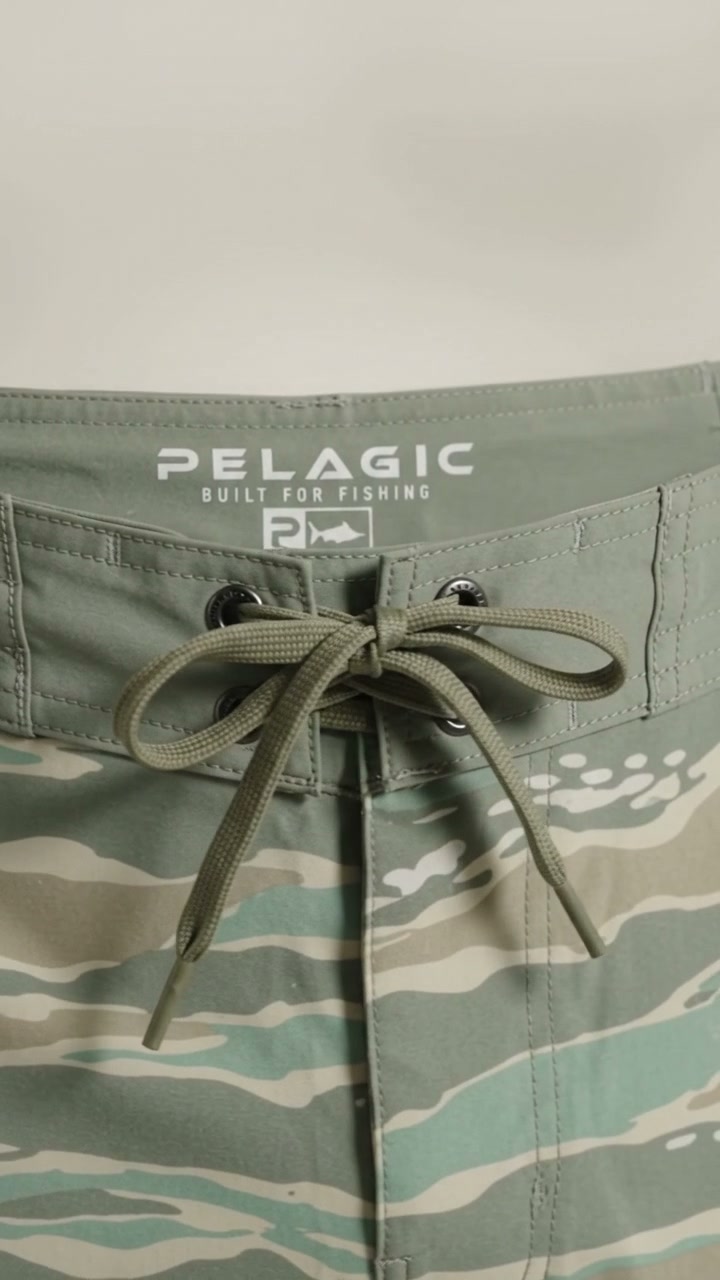
Mostly clean, with one honest miss worth keeping in the record: the waistband and construction came through perfectly, but a secondary hem tag came out with the wrong layout — the real tag reads "boxed P + fish icon, then PELAGIC below it"; the generated one swapped the order and dropped the box entirely.
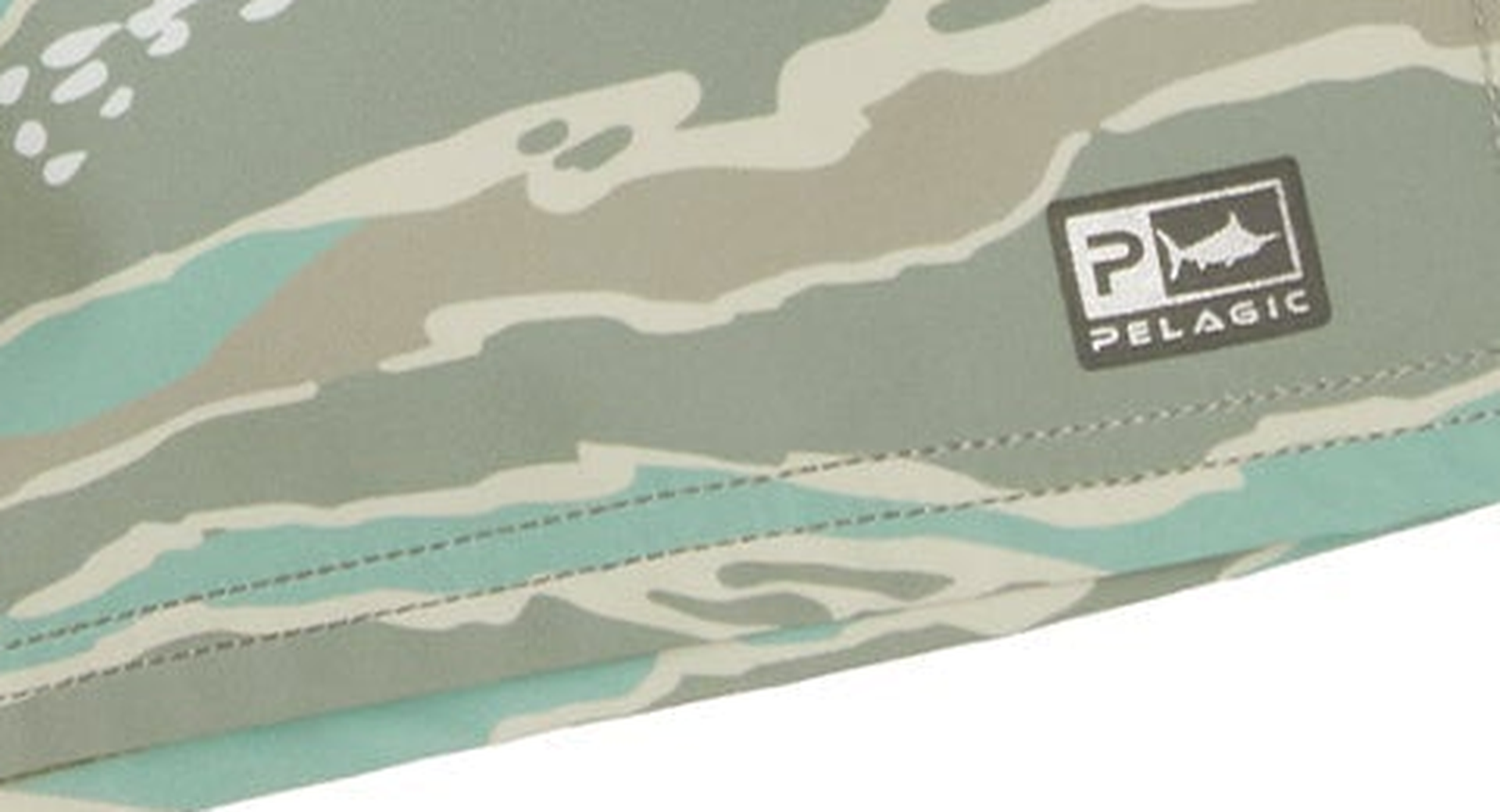
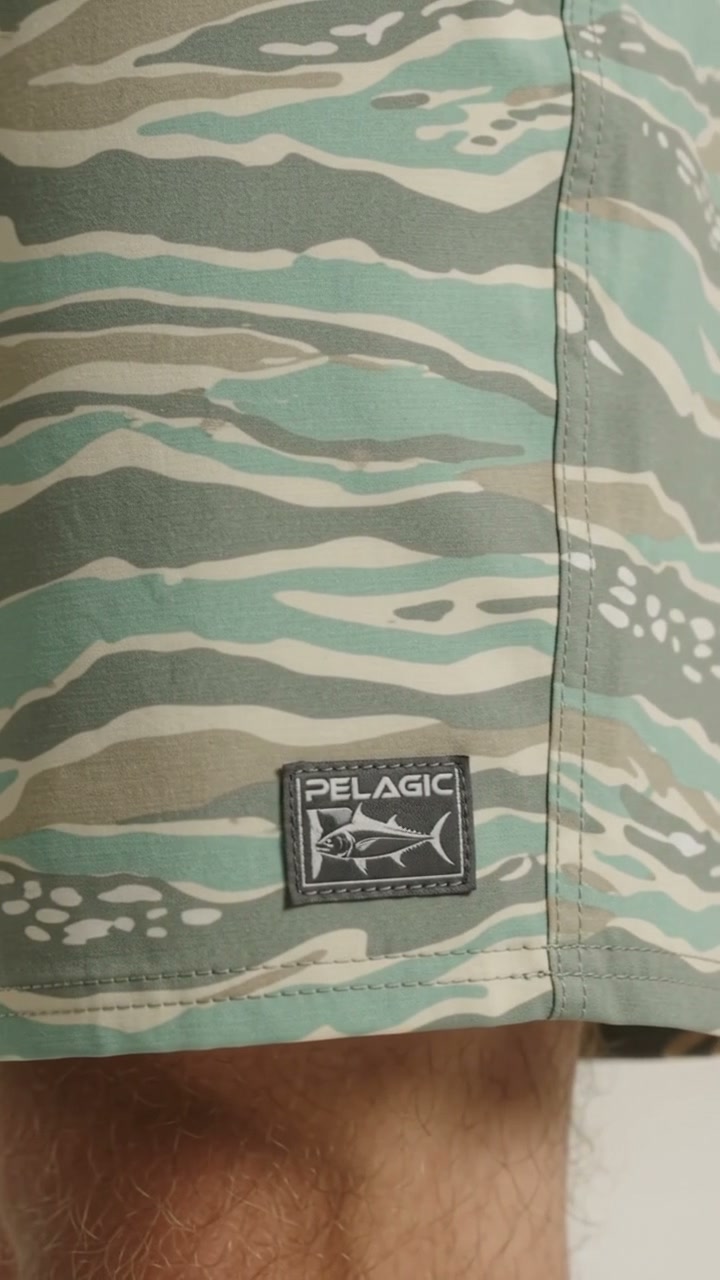
Clean photos plus a generic prompt gets you most of the way there — it fixed the hardest marks on every product tested — but it isn't a guaranteed clean sweep on every secondary detail. A mark the prompt never specifically calls out can still drift.
6Does this scale to production?
Yes — and it's simpler than the first attempt suggested. The path that actually works needs no per-product authoring at all.
What ships
- Build the reference stack from real catalog originals — the plain product photo, an on-model shot, and whichever detail photo actually has the readable branding — instead of the padded/AI-outpainted derivatives used today.
- Use the generic prompt, unchanged, for every product. No per-SKU writing.
- Optionally, tell the model explicitly which of the three photos to trust for fine print. This turned out to be a non-issue — see below.
- Keep hand-written marks only as a fallback, for the rare case where the reference stack is unavoidably degraded — never author them from a photo too small to actually show the real letters.
SettledDoes per-image staging require new classification? No — it's already there.
The remaining worry was real: if you want to tell the model which of the 3 photos to trust for fine print, don't you need to run a new vision pass on every catalog image first? Checked against production data: that classification already exists. Every catalog image already carries a label (plain product photo / on-model / detail shot), written once by an existing classifier and reused forever — verified directly against a real product's own 3 submitted photos, where the stored labels matched exactly what those photos show. A second existing field (extracted on-image text) already answers which photo has the readable branding.
One real caveat, also verified: on a different product, "detail" turned out to mean a fabric close-up, not a logo — so the fix reads the extracted text on the selected photo rather than trusting the label name alone. With that adjustment, no new spend is needed for this at all.
7Two more questions, both answered
AnsweredDoes telling the model which photo to trust help?
Tried explicitly staging the three photos by role — "use this one for the wide shot, use that one for fine print" — on top of the hand-written-marks approach. It worked cleanly, but a direct side-by-side against skipping staging entirely (clean photos, no staging, no per-product marks) showed the marks were reproduced just as accurately either way. Staging is a nice-to-have, not a requirement.
AnsweredDo you need a new vision pass to know which photo is which?
No. Checked against production data: every catalog photo already carries a label (plain product photo / on-model / detail shot), written once by an existing classifier and reused forever — verified directly against a real product's own 3 submitted photos, where the stored labels matched exactly what those photos show. A second existing field (extracted on-image text) already answers which photo has the readable branding, with one caveat: "detail" sometimes means a fabric close-up, not a logo, so the fix should check the extracted text, not just the label name. Either way, this is a code change reading data that already exists — not a new cost.
8Spend summary
| What | Cost |
|---|---|
| Direct Gemini — Leaderman comparisons, both fix attempts across 4+1 ads, staging test, retry | ~$14.50 |
| Grok Imagine — 2 real generations (first hit a length cap, cost $0) | ~$1.43 |
| Atlas — one real successful generation during the outage window | ~$0.90 |
| Total settled | ~$16.83 |
All spend tracked against a $50 approved budget for this investigation; nothing close to the limit. No billable request was ever retried after a failure — every failed attempt above cost $0, confirmed directly against each provider's own settlement record. One transient (unbilled) API error was retried once, which is why the count of real generations is slightly higher than the ad count.
9Tonight's findings
Everything in this section is measured against a saved artifact — a request-shape file, an OCR confidence score, a catalog query, an ffprobe run — not recalled from memory. Where a number wasn't recorded, that's stated rather than filled in.
Root-causedThe Chubasco sleeve-text defect
The garment's marks are reflective white — legible in the product_only packshot, dark and low-contrast in on-model shots. That's also why OCR read them as HELLY HANSEN / RAINS earlier tonight: it was reading a dark, low-contrast smear, not the mark itself.
An experimental face-first reference-ranking approach dropped feed 0 — the packshot, which is production's actual seed image, and which OCRs PELAGIC correctly three times at 0.96 / 0.80 / 0.83 confidence — in favor of three on-model shots where the same text is barely legible. Production's real stack renders PELAGIC correctly on the first try with the plain generic prompt. The tagged-crop "fix" attempted earlier tonight was solving a problem the face-first ranking itself had created. Stated plainly because it's the most useful negative result of the night: the fix for a self-inflicted defect is to stop inflicting it, not to compensate for it with more prompt machinery.
Shipped — live in productionThe harm was text-specific
Knockdown (no printed wordmark on the garment) was fine under the face-first ranking; Chubasco (fine reflective text) broke. So the ranking itself wasn't wrong everywhere — only where a real mark depended on the packshot's contrast.
Resolution: protect slot 0 for product_only, and apply the face preference only to slots 1–2. That still yields a person in the majority of frames (6 of 10 measured), and a packshot-only stack generates a person anyway — Rod Holder invented a shirtless model from two packshots with no on-model reference at all. This shipped today and is live in production.
OCR is unreliable in three distinct modes
All three observed on real Pelagic garments tonight, not synthetic cases:
- Competitor hallucination — HUK at 0.98 confidence, PATAGONIA at 0.98, plus AFTCO, BILLABONG, RVCA, REEF, SALT LIFE, and RIP CURL on garments that carry none of those marks.
- Sanitisation — AHI PURSUIT at 0.96 confidence for the genuine printed text "Ahi Pussy."
- Misclassification — BUILT FOR FISHING typed as general rather than as text.
Any logic keyed on Media.text[].type or .content inherits all three failure modes. That's the direct reason the seed-text prompt machinery is being removed rather than patched — see below.
RetractedA print-bleed defect on ad 479d — not a generation failure
Earlier tonight a print-bleed defect on ad 6a987a091549f7076bce479d was logged as a generation failure — the model appeared to be printing a pattern onto a garment that should have rendered as a solid color. It wasn't a generation defect. Under that one product ID, 6 of the 8 catalog photos are the solid colorway and 2 are the printed colorway — a colorway image mix-up in catalog data, not something the model invented. This claim never made it into the tables elsewhere on this page, so there's nothing above to strike through, but it circulated tonight and is corrected here on the record rather than left standing.
A live prompt contradiction, deleted today
OMNI_DIRECTIVES.noText told the model that on-product text was "fine to show," while a separate seed-text guard inside the same prompt told it to "not read, reproduce, extend, or generate more of it." Both instructions shipped in every prompt whenever a seed image had any OCR'd text on it — a direct contradiction the model had to arbitrate on its own, silently, on every single generation. Removed and deployed today.
Ships dark today — pending validationInput-side degradation is being removed from the video path
Three sources of input degradation are being taken out of the reference stack the video model sees: the billable AI outpaint (google/nano-banana-2/edit-developer, $0.08/ref), the YOLO/DINO-driven reframe strategy, and Cloudinary's c_crop/c_pad transforms.
Precisely scoped: this is input only. The output-side crop that derives the Meta 1:1 / 4:5 / Reels and PMax 1:1 deliverables from one paid master is a money invariant and stays exactly as it is — nothing about how a finished video gets re-cropped for delivery changes. This ships dark today, pending a production-route validation pass.
Gemini economics, both measured at matched 1080p
Atlas: $0.90/master settled. Gemini direct: $1.0351/master (about 15% more) — both at 1080p.
1080p bills identically to 720p — 57,920 video tokens for a 10-second clip either way — and the 1080p output was ffprobe-confirmed as genuinely 1080×1920, not a silently downgraded 720p upscaled in the response metadata. So going to 1080p costs nothing extra.
Measured wall-clock, submit to terminal state, across three runs: 46s / 60s / 80.6s.
10Recommended next steps
- Land the three pipeline fixes (money leak, pad scale, the reframe cache reconciliation) — already written and verified, not yet merged to trunk.
- Wire the real reference-selection path to catalog originals, not the padded/outpainted stack — this is the change that actually matters, confirmed across five products so far. A second round on five more products, using production's real selection logic, is in progress now to confirm this holds at broader scale.
- Retire the per-product hand-written marks approach as the default — keep it only as a fallback for the rare case where a clean reference genuinely isn't available.
- Build the minimal testing harness so this kind of investigation doesn't require hand-rolling a simulation every time — a true dry-run mode that shows exactly what production would submit without paying for it, plus a persisted record of what was actually sent to the model on each real ad.
- Fix the reference-preparation pipeline itself — the sleeve-print contamination came from an earlier AI-outpaint step, and switching to clean images sidesteps it here but doesn't fix the root cause for cases where a clean photo genuinely isn't available.